External Septentrio GNSS Integration
Feature Overview
The 3DM-GV7-INS supports integration with external GNSS receivers that output data using the Septentrio Binary Format (SBF). When connected, the navigation filter can use externally provided GNSS measurements for:
-
Loosely coupled position and velocity aiding
-
Dual-antenna GNSS heading aiding
This capability enables operation with a wide range of Septentrio receivers while allowing users to configure receiver behavior independently of the navigation receiver. This feature is supported on firmware version 1.x.x and later.
For application specific receiver recommendations please see External Aiding Sensors or contact Support.
This guide provides configuration steps for both NOVA carrier board or standalone GNSS receiver.
Supported SBF Messages
The 3DM-GV7-INS accepts a defined subset of SBF messages. Required messages depend on the desired aiding mode.
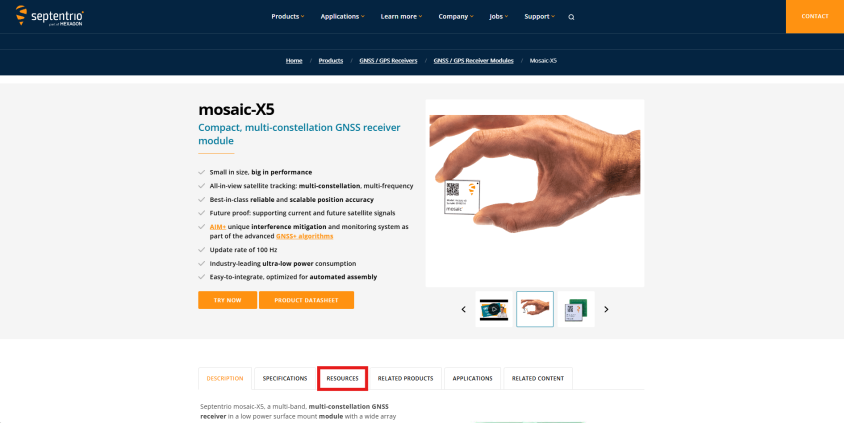
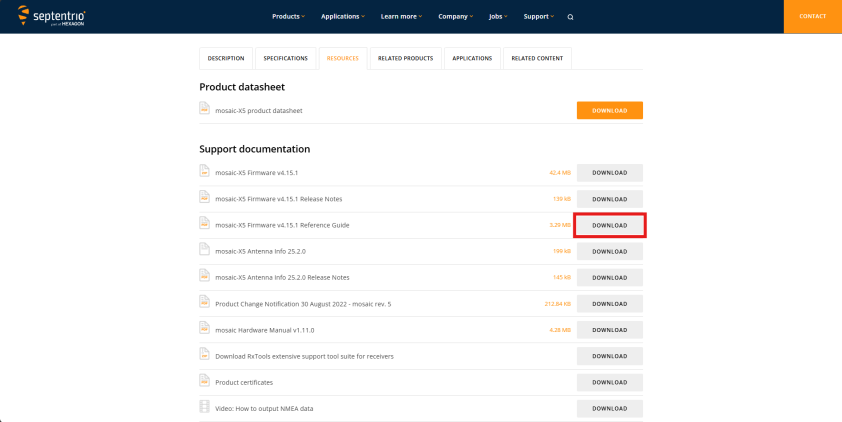
For detailed Septentrio message definitions, please reference the Firmware Reference Guide for your product: (current supported modules are mosaic-X5 FW v4.15.1, mosaic-H v4.15.1, G5-P3H v1.0.1). See Guide location at links below:
Loosely Coupled Position / Velocity Aiding
To provide position and velocity aiding, the receiver must output one of the following PVT solution groups (Cartesian or Geodetic), along with the associated covariance messages. To enable all MIP GNSS data field outputs, provide both PVT solution groups. If both PVT groups are provided, the internal navigation filter will use the geodetic solution for aiding.
-
Cartesian solution
-
PVTCartesian
-
PosCovCartesian
-
VelCovCartesian
-
-
Geodetic solution
-
PVTGeodetic
-
PosCovGeodetic
-
VelCovGeodetic
-
Additional required messages:
-
DOP (recommended, but not required)
-
EndOfPVT
Maximum supported rate: 5 Hz
Dual-Antenna GNSS Heading Aiding
For GNSS-based heading updates, the receiver must output:
-
AttEuler
-
AttCovEuler
-
AuxAntPositions
-
EndOfAtt
Maximum supported rate: 5 Hz
Configuring a Septentrio Receiver
-
Connect receiver to RxControl via “File > Change Connection”
-
Open COM port settings in “Communication > COM Port Settings” and set the baud rate for COM1 to 3Mbaud (3,000,000) or 4Mbaud (4,000,000).
-
Open SBF message settings in “Communication > Output Settings > SBF Output” and configure messages to be output on the COM1 port (recommend keeping different categories separate so they can be quickly switched on/off in groups):
-
Stream 1:
-
COM1
-
PVTCart > PVTCartesian, PosCovCartesian, VelCovCartesian
-
PVTGeod > PVTGeodetic, PosCovGeodetic, VelCovGeodetic
-
PVTExtra > DOP, EndOfPVT
-
200 msec (max 5 Hz)
-
-
Stream 2:
-
COM1
-
Attitude > AuxAntPositions, AttEuler, AttCovEuler, EndOfAtt
-
200 msec (max 5 Hz)
-
-
Stream 3:
-
COM1
-
Measurements > MeasEpoch, MeasExtra, EndOfMeas
-
200 msec (max 5 Hz)
-
-
Stream 4:
-
COM1
-
Time > ReceiverTime
-
1 sec (max 1 Hz)
-
-
Stream 5:
-
COM1
-
Status > RFStatus
-
1 sec (max 1 Hz)
-
-
-
In the event that any of the above is unavailable, use the commands below where applicable.
-
If RTK is to be used, open NMEA message settings in “Communication > Output Settings > NMEA Output” and configure GGA to be output to the stream that is connected to RTK.
-
Stream 1:
-
USB2 (select desired and supported target)
-
GGA
-
1 sec
-
-
All of the above can be achieved using commands to the receiver:
-
sso, Stream1, COM1, PVTCartesian+PosCovCartesian+VelCovCartesian+PVTGeodetic+PosCovGeodetic+VelCovGeodetic+DOP+EndOfPVT, msec200
-
sso, Stream2, COM1, AuxAntPositions+AttEuler+AttCovEuler+EndOfAtt, msec200
-
sso, Stream3, COM1, MeasEpoch+MeasExtra+EndOfMeas, msec200
-
sso, Stream4, COM1, ReceiverTime, sec1
-
sso, Stream5, COM1, RFStatus, sec1
-
sno, Stream1, USB2, GGA, sec1
-
scs, COM1, baud4000000
-
(sso=setSBFOutput; sno=setNMEAOutput; scs=setCOMSettings)
Consider copying the configuration to boot to save time if the receiver is reset.
-
Go to “File > Copy Configuration” and select “Current” as the source and “Boot” as the target.